Pinout
- This page lists the pinout of the FLY-SHT36 (LIS3DH) tool board after flashing the Klipper firmware. The pin numbers are based on the product schematic.
UART/CSis the driver communication pin: used as UART with TMC2209, or as chip selectCSwhen using SPI drivers; the same pin is shared.ENis the enable pin. In Klipper configuration, it is typically active-low (with a!prefix inenable_pin).
Interactive Pin Hotspots
The image below uses the product image of FLY-SHT36 LIS3DH and the same hotspot data (hotspot positions are identical to the SHT36 V2, pins follow this board's definition). Use the device-type filters to show only compatible connectors; click a hotspot to see which devices it accepts, common Klipper configuration options, and notes.
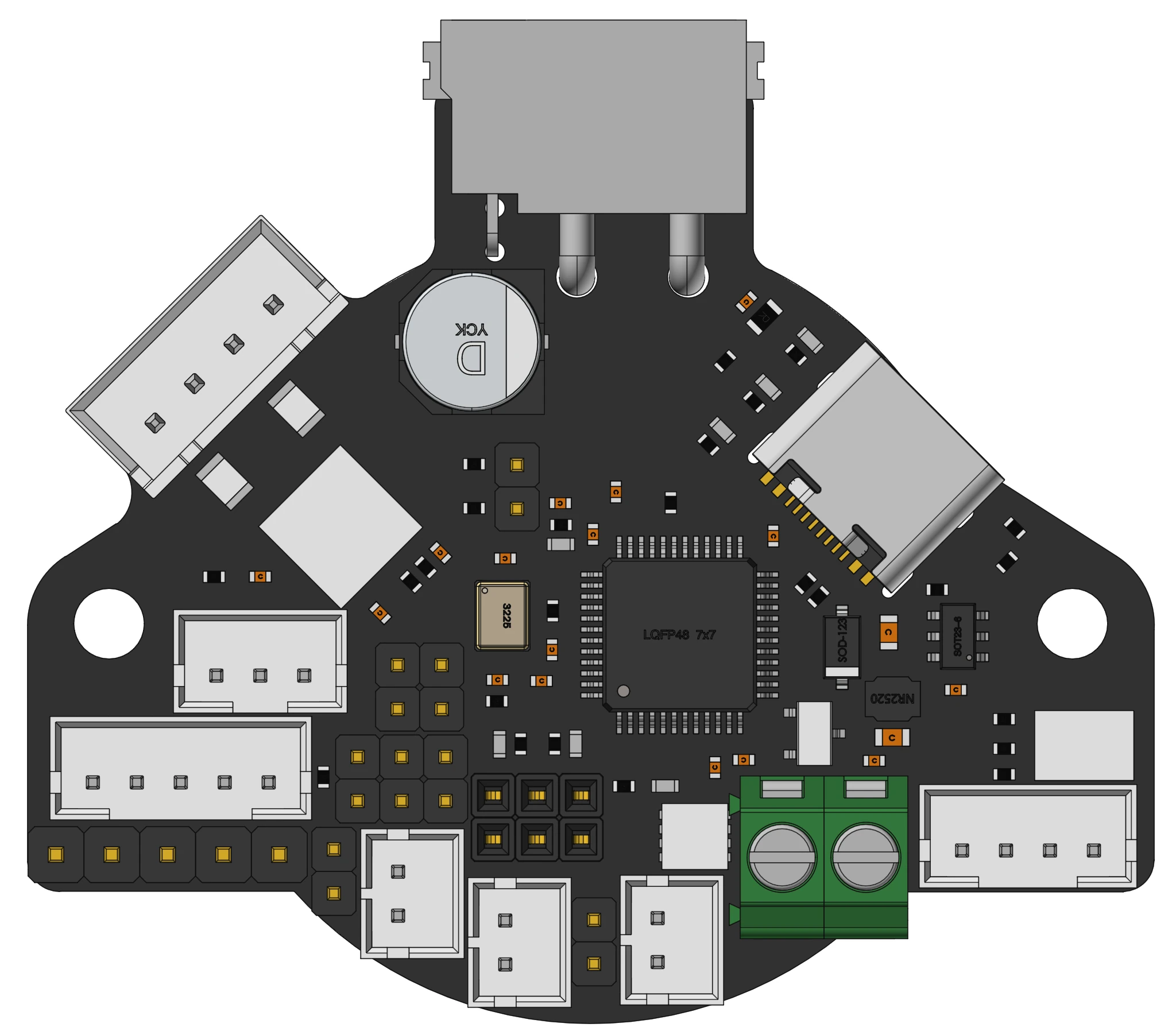
Hover to see the pin; click a hotspot to view compatible devices and configs. Pins can be copied from the detail panel, except for driver connectors.
Driver Pins
| Driver | STEP | DIR | EN | UART/CS | Endstop |
|---|---|---|---|---|---|
| DRIVER0 | gpio24 | gpio23 | gpio25 | gpio1 | - |
Before starting, completely shut down the printer and disconnect the power supply. Do not plug or unplug wiring harnesses, organize interface wiring, or touch terminals while the power is on.
Heater
| Function | Pin |
|---|---|
| Hotend Heater | gpio8 |
Temperature Sensors
| Function | Pin |
|---|---|
| Hotend Thermistor | gpio26 |
| Box | gpio27 |
The thermistor ports support NTC thermistors (100K) by default, with sensor_type recommended as Generic 3950; they also support 2-wire PT1000, configured by setting sensor_type to PT1000.
List of
sensor_typeoptions that can be directly connected internally by Klipper and their applicable scenarios: Thermistor Configuration Method
K-type thermocouples, 3-wire PT100, etc., require additional signal conditioning chips and cannot be connected directly to the thermistor ports.
Fans
| Function | Pin |
|---|---|
| Part Cooling Fan | gpio14 |
| Heat Sink Cooling Fan | gpio15 |
Probe and Endstop
| Function | Pin |
|---|---|
| Probe | gpio3 |
| BLTouch / Servo Control | gpio7 |
| X Endstop | gpio21 |
For wiring of micro switches, optical endstops, proximity sensors, and TAP, see: Endstop Wiring Guide
RGB
| Function | Pin |
|---|---|
| RGB / Neopixel | gpio6 |
PWM
| PWM Function | Pin |
|---|---|
| RGB / Neopixel | gpio6 |
| BLTouch / Servo Control | gpio7 |